What’s New?
We’ve added a Selectable Results Period feature to the Insights Platform. This gives the user more control and clarity when reviewing optimisation results.
TABLE OF CONTENTS
- How It Works
- What Updates When You Change the Selection?
- Where Will You See This Feature?
- Important Notes
How It Works
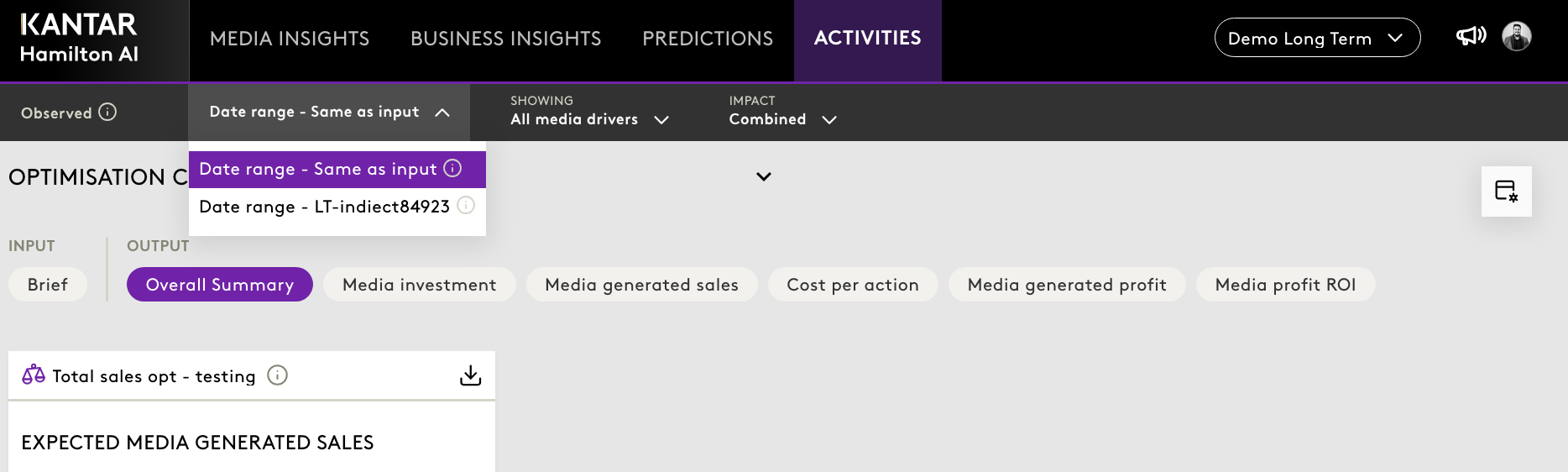
When an optimisation includes long-term effects, a period selector will appear in the top navigation menu. 
This control allows users to choose between two distinct options: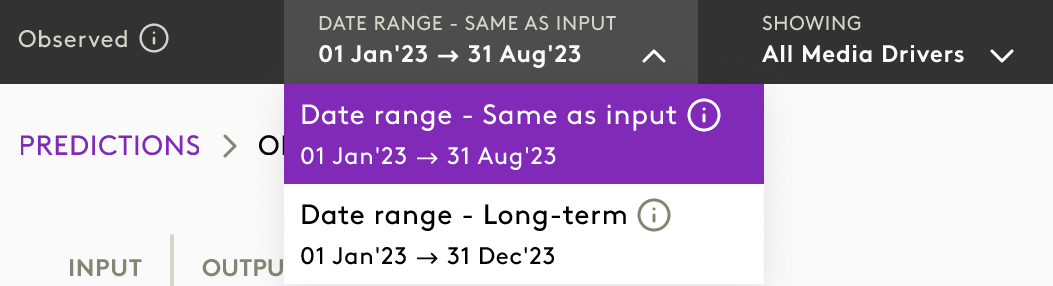
- Same as Input Date – Displays results calculated for the same time frame as the optimisation input window.
- Long Term – Displays results inclusive of long-term effects (for example, incorporating up to 90% long-term impact).
This functionality ensures that users can tailor their view according to their analytical requirements, whether focusing on immediate outcomes or considering extended performance effects.
What Updates When You Change the Selection?
Selecting a different period will dynamically update all relevant outputs across the platform, including:
- Key Performance Indicators (KPIs)
- Charts and Graphical Representations
- Tables and Summaries
- Exported Reports
| Same as Input Date | Long Term |
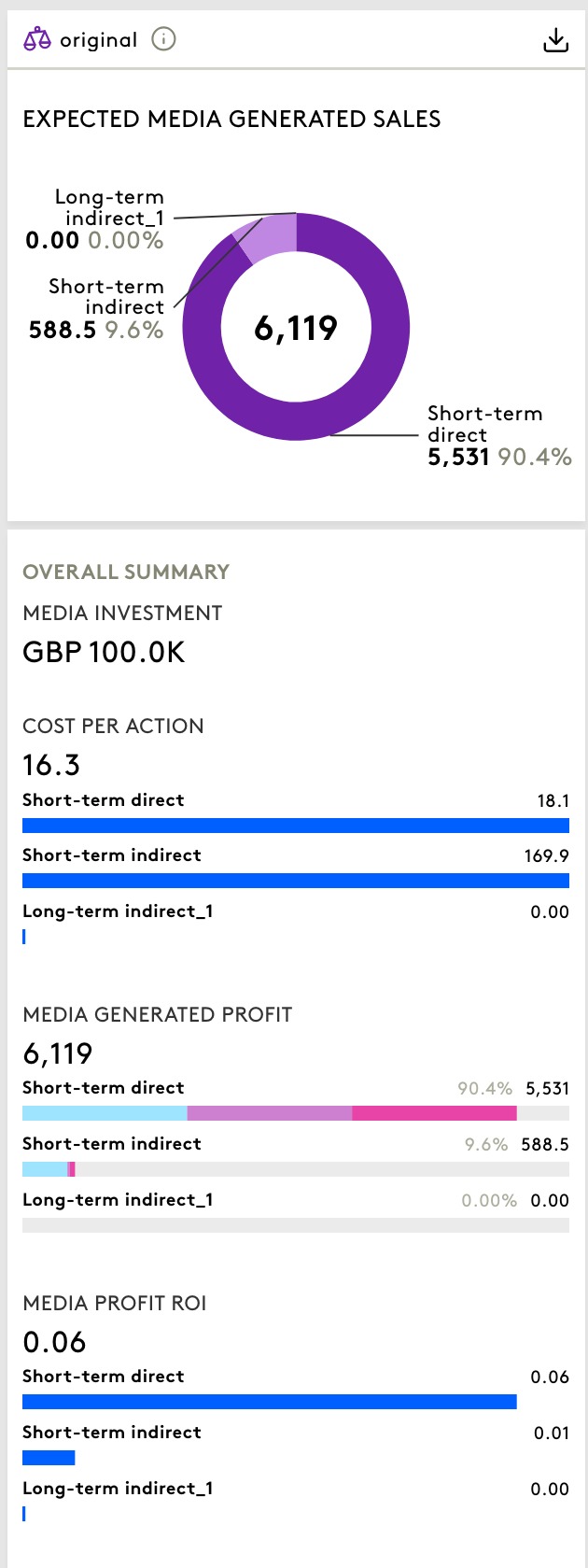 | 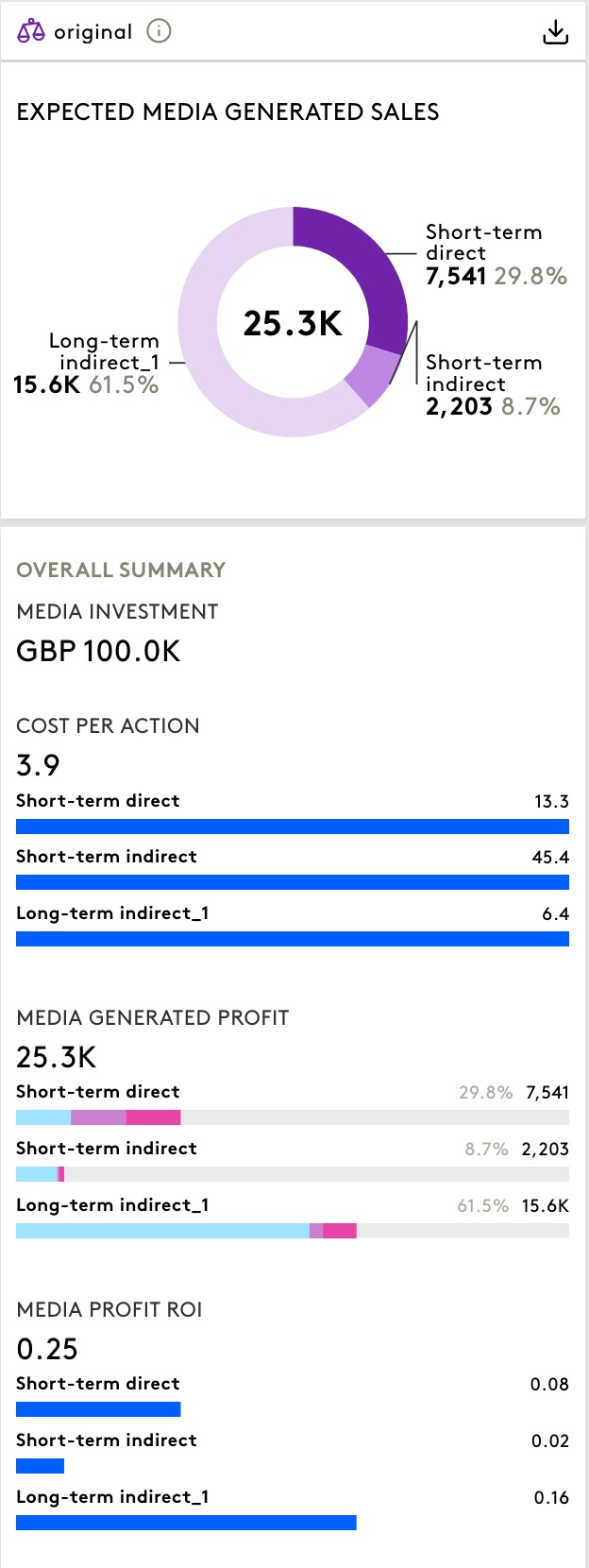 |
The chosen selection is retained when saving the plan to an Activity, ensuring consistency across workflows and shared outputs.
Where Will You See This Feature?
The period selector is available in the following areas:
- Optimisation Module
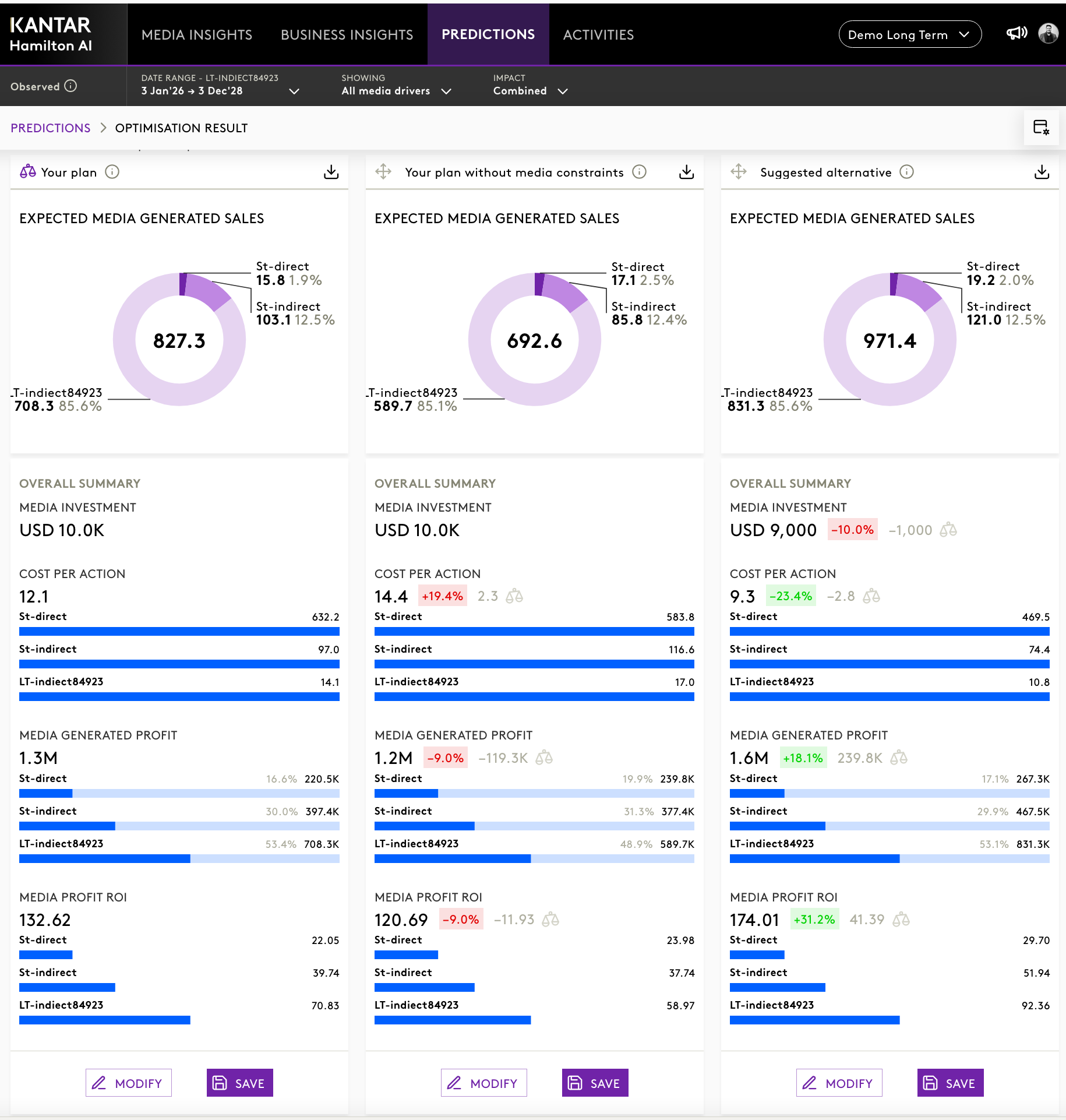
- Activities
- Exports and Shared Optimisation Results
Important Notes
- The period selector will only be visible for optimisations that include long-term effects.
- The selected option applies consistently across all outputs and remains preserved in saved Activities.
Was this article helpful?
That’s Great!
Thank you for your feedback
Sorry! We couldn't be helpful
Thank you for your feedback
Feedback sent
We appreciate your effort and will try to fix the article