We are pleased to announce a new update to the Insights Platform, delivering improvements across Prediction, Simulation, Optimisation, Media Insights (MI), and Business Insights (BI).
This release focuses on strengthening clarity, functional accuracy, user control, and workflow efficiency.
TABLE OF CONTENTS
- 1. Load Optimiser Results Directly into Simulator
- 2. User‑Editable Reference Period in Simulation
- 3. New Donut Chart in Prediction Page
- 4. View Long‑Term Effects Beyond the Simulation Window
- 5. Editable Dates in Constraint Templates
- 6. More Accurate Data Display for Long‑Term Models (BI)
- 7. Consistent Dimensions Order Across Modules
1. Load Optimiser Results Directly into Simulator
What it is
You can now move completed optimisation results straight into the Simulator, no manual entry or file export/import. You can also move an optimisation run directly from the Activities module.
Why it matters
Eliminates extra steps, saves time, and reduces transcription errors.
How to use
- Run or open a completed optimisation.
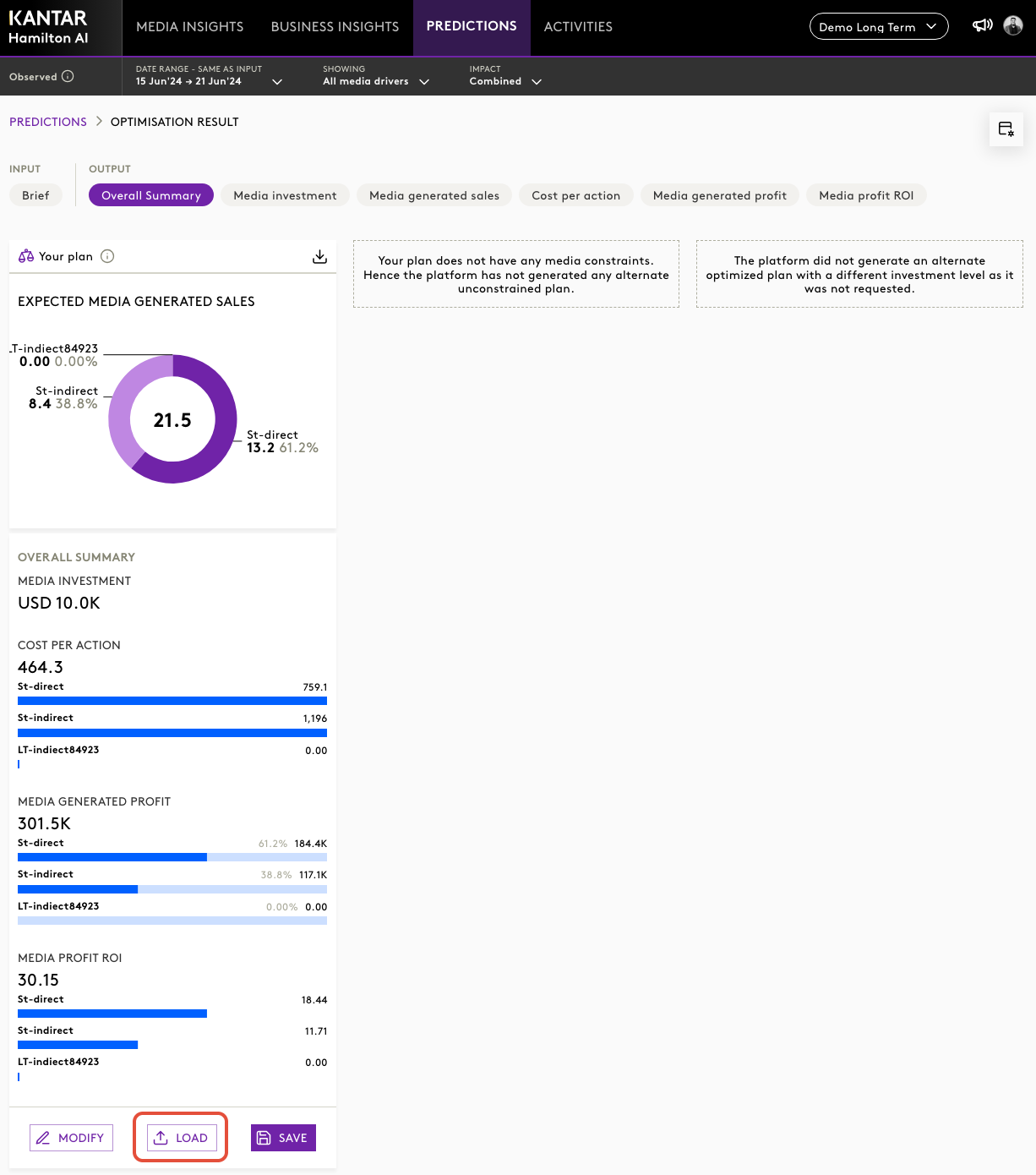
- Click Load into Simulator.
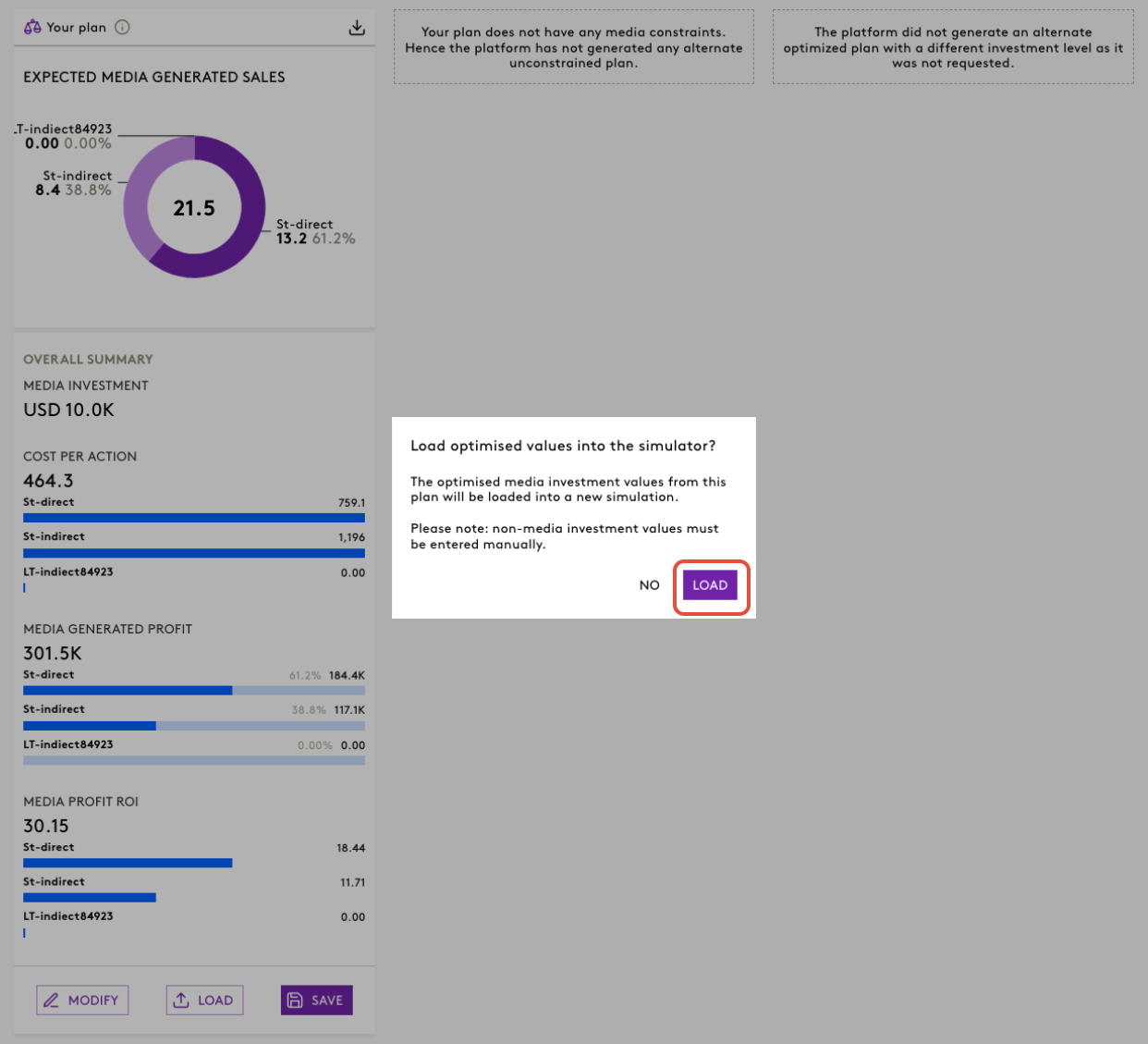
- The system creates a new Simulation scenario with variables populated from the optimisation output.
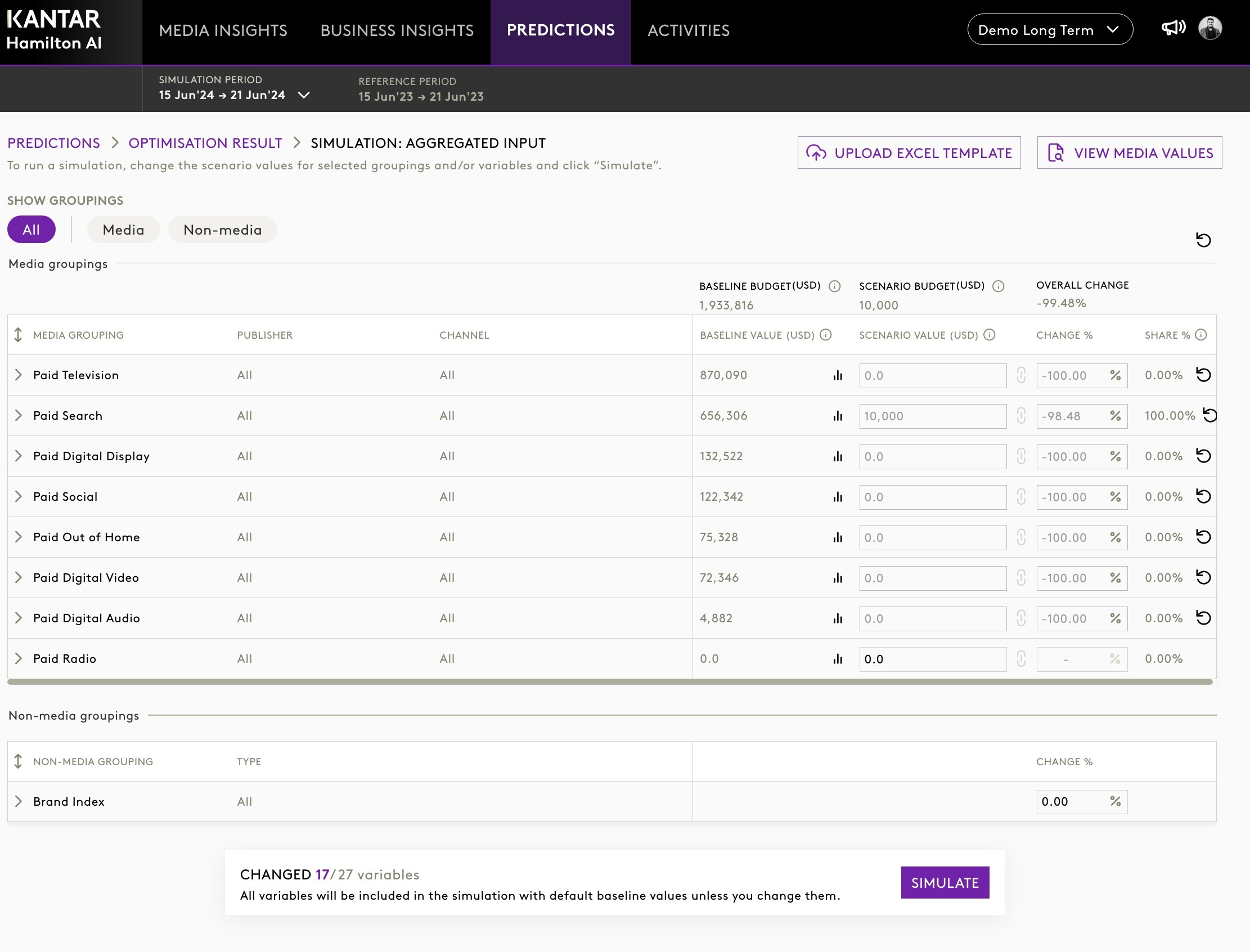
- Review, tweak, and run the simulation.
From Activities module:
- Go to Activities and locate the optimisation you want to use.
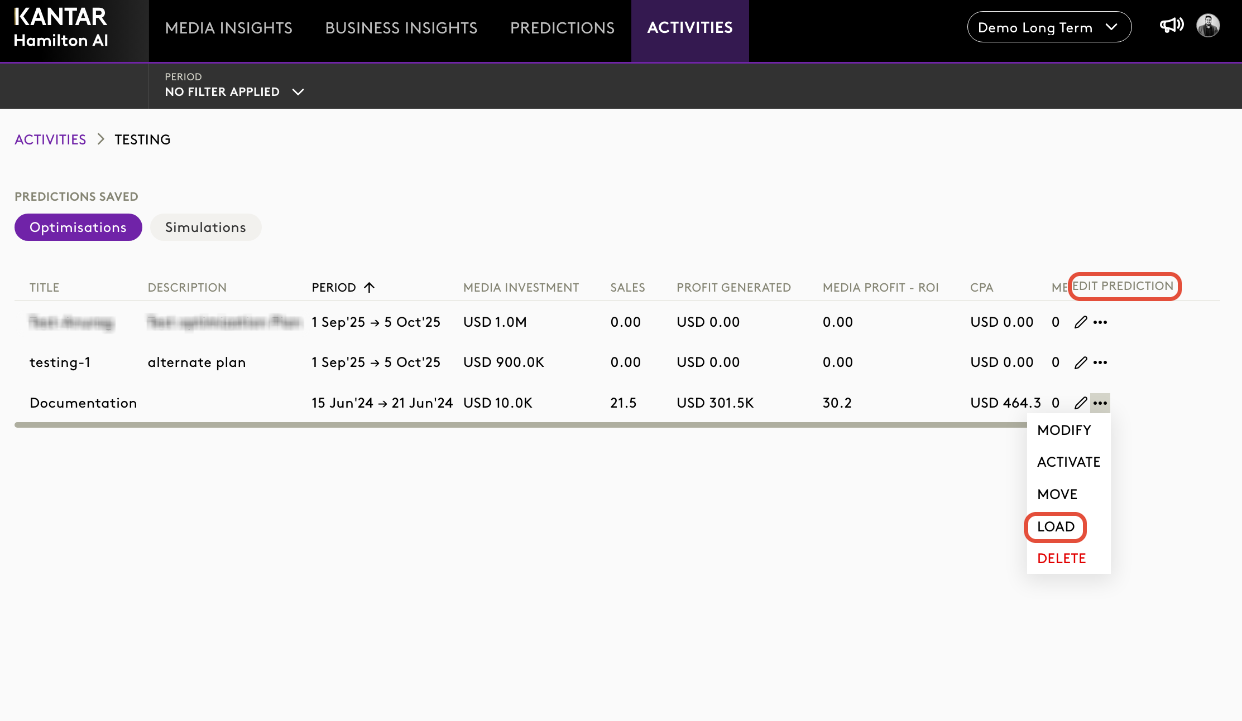
- Click on the Edit Prediction button and select the LOAD button.
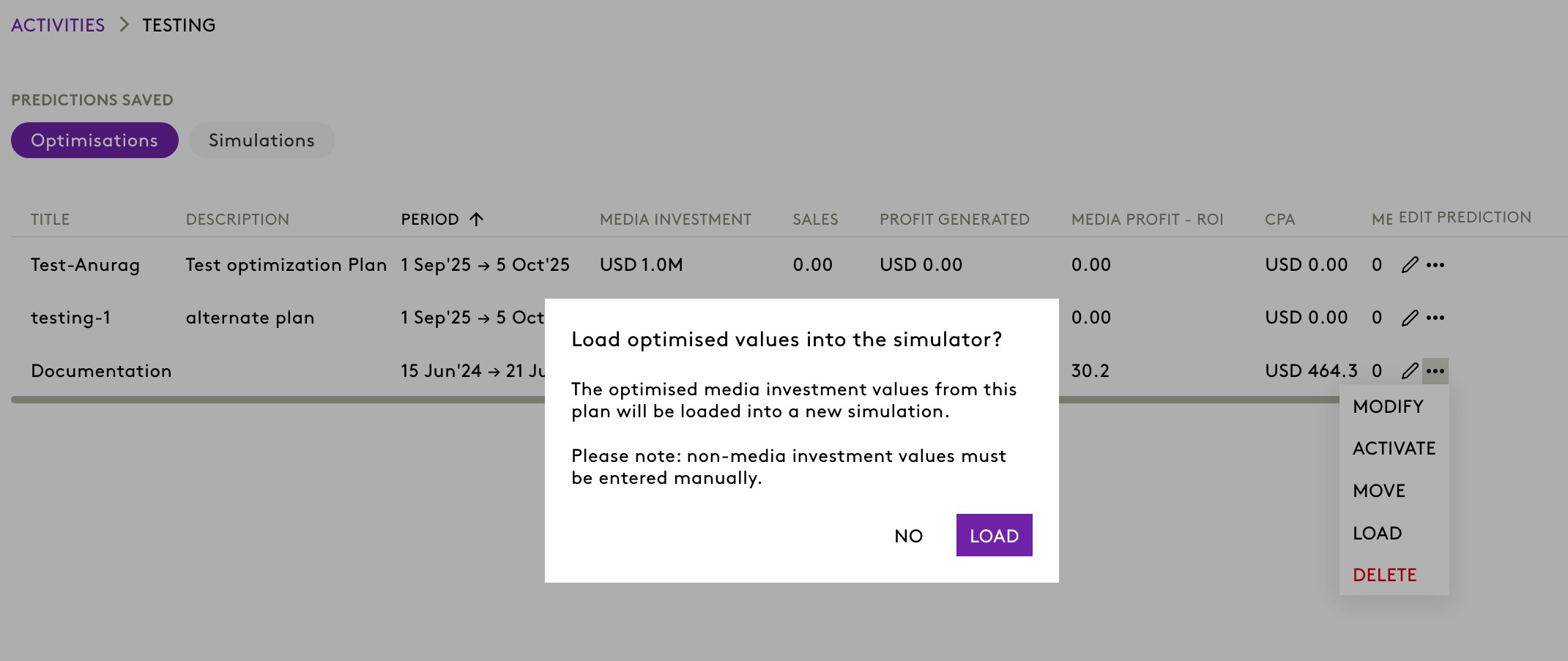
- If the optimisation’s date range falls within the allowed Simulation period, the system creates a new Simulation scenario using that output.
- Review, adjust if needed, and Simulate.
Note: The optimisation period has to be in the simulation date range.
2. User‑Editable Reference Period in Simulation
A new enhancement now lets users select a custom reference period for baseline effect calculations in Simulation.
What’s new
- Users can specify their own reference period directly in the Simulation setup.
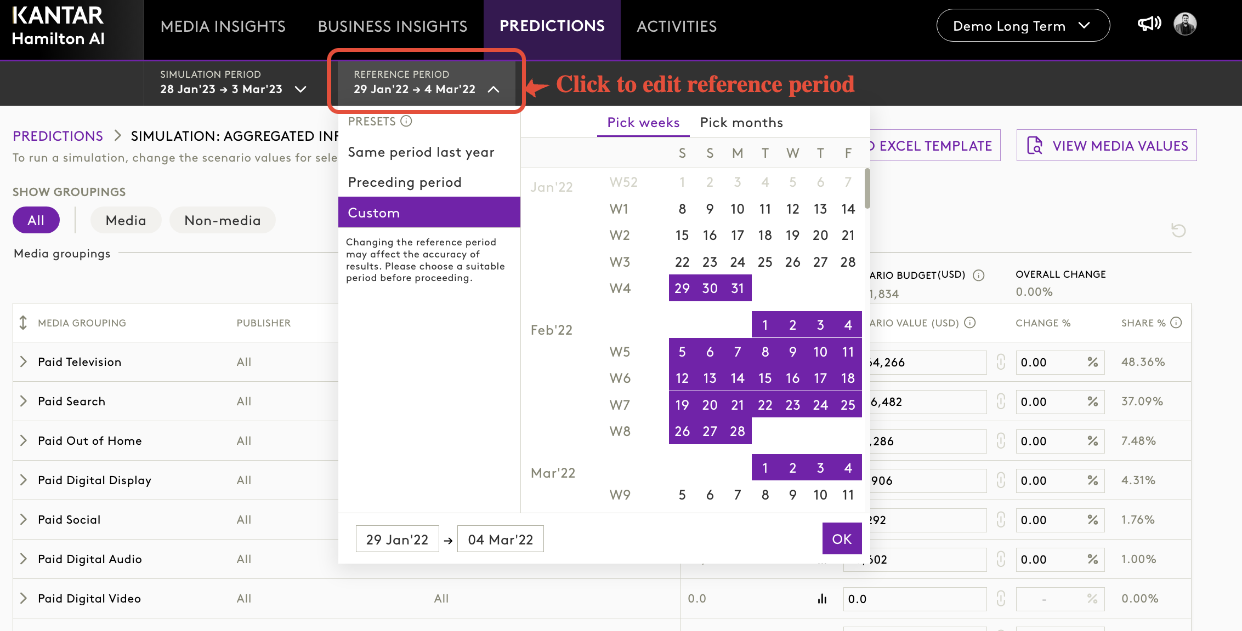
- All effect metrics dynamically update based on the selected baseline.
- Validation prevents invalid/extreme selections.
- Media reference continues to default to zero unless configured.
Impact
- More flexibility and scenario‑specific accuracy for modellers and analysts.
- Reduced dependency on fixed system‑defined baselines.
- Improved interpretability of Simulation outputs.
3. New Donut Chart in Prediction Page
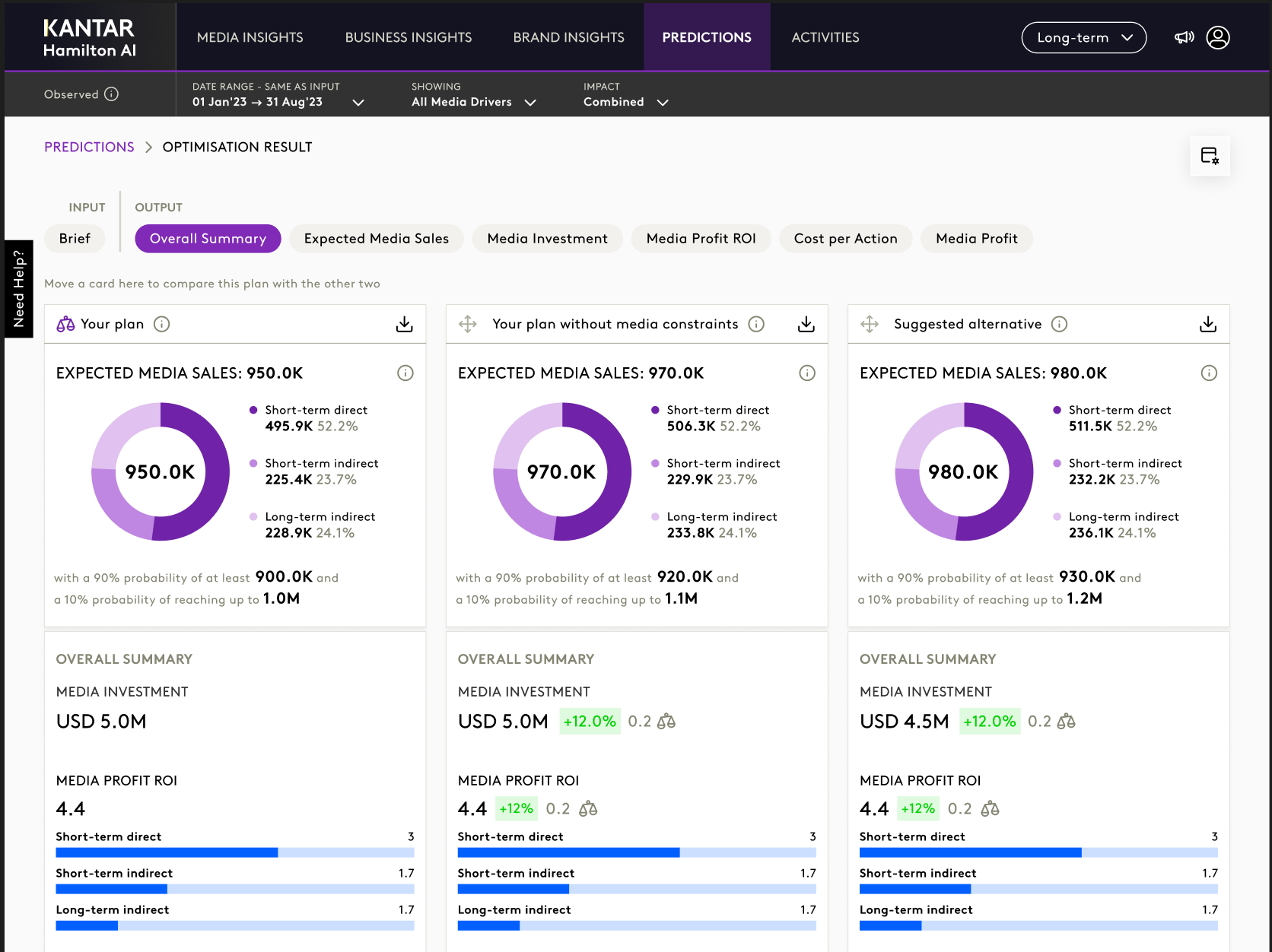
A redesigned donut chart aligned with the latest design system updates.
Improvements
- Clearer separation of metrics.
- More modern UI.
- Better readability of asset‑level composition.
4. View Long‑Term Effects Beyond the Simulation Window
Users may now view the full long‑term effect horizon, not just the selected simulation window in the simulator results.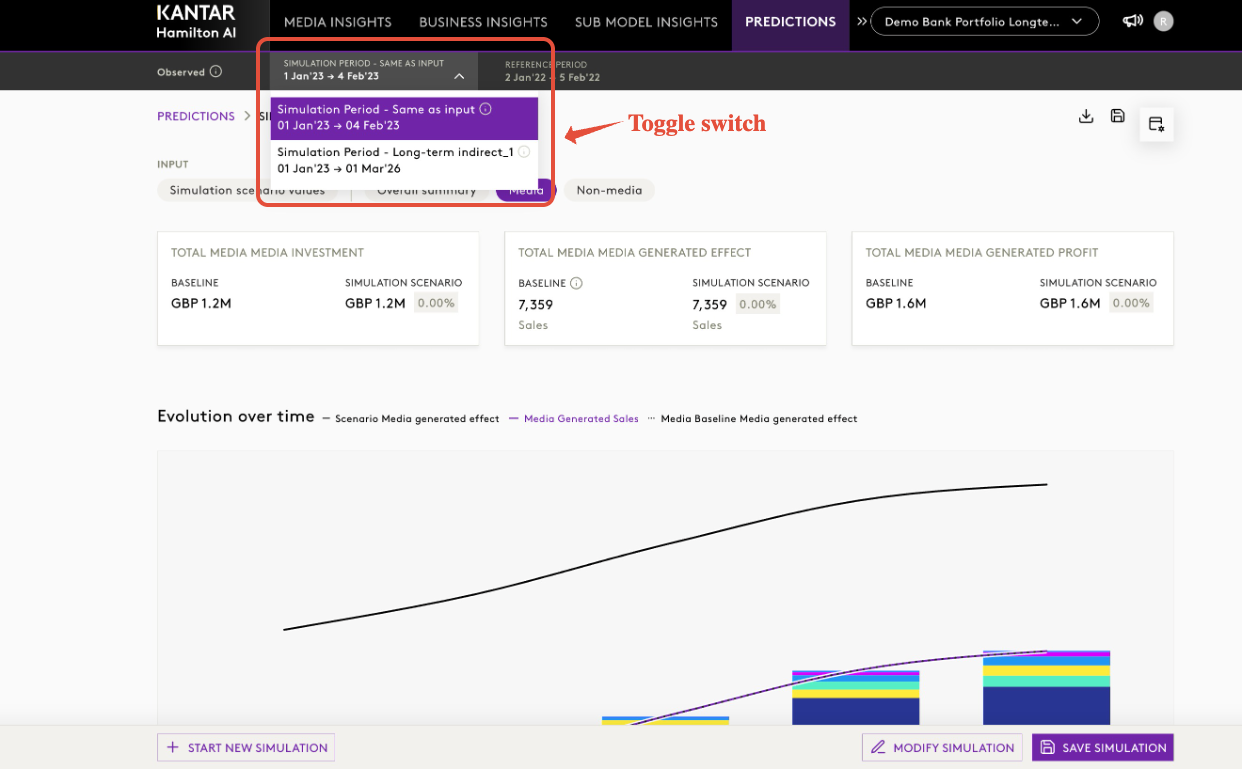
What's new
- Toggle between “Simulation Window Only” and “Full Long‑Term Horizon.”
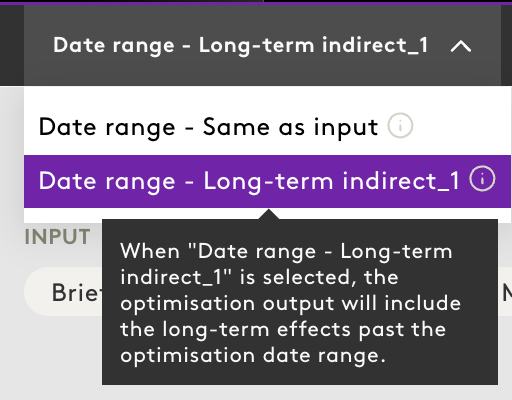
- Tooltips clearly indicate effects outside the selected period.
- Improved understanding of long‑term media decay and uplift.
Impact
Enhances transparency of model behaviour, especially for long‑term effect planning.
5. Editable Dates in Constraint Templates
What's new
Constraint templates now support Start Date and End Date editing directly in Excel.
System validates uploaded date ranges. Out‑of‑window dates are auto‑corrected with clear feedback.
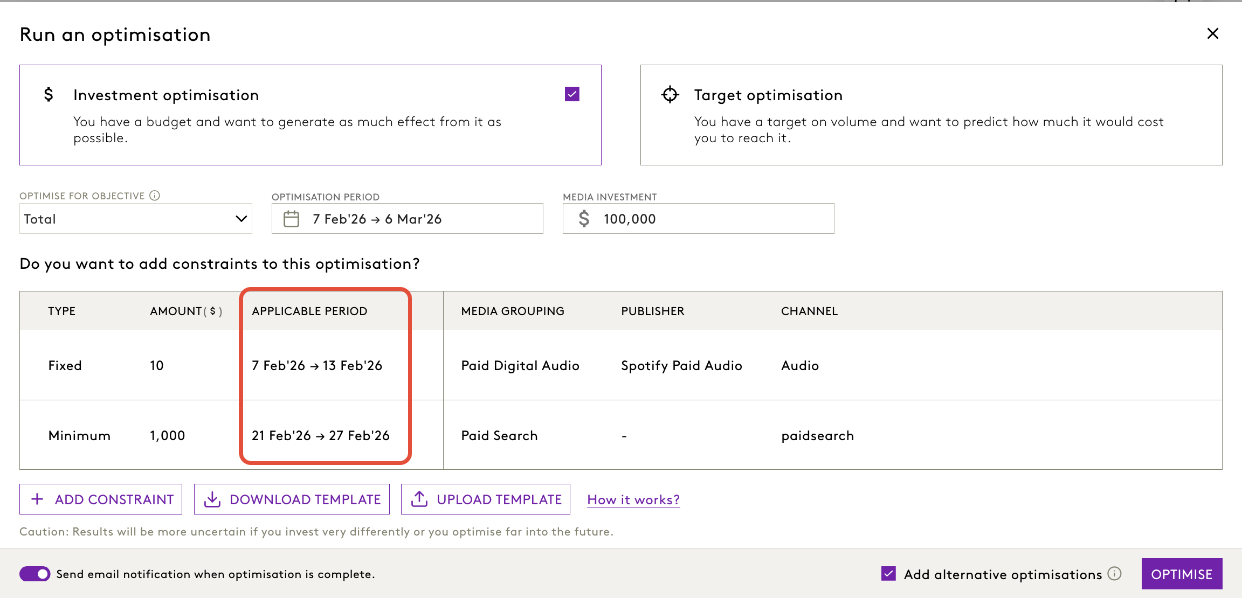
How to?
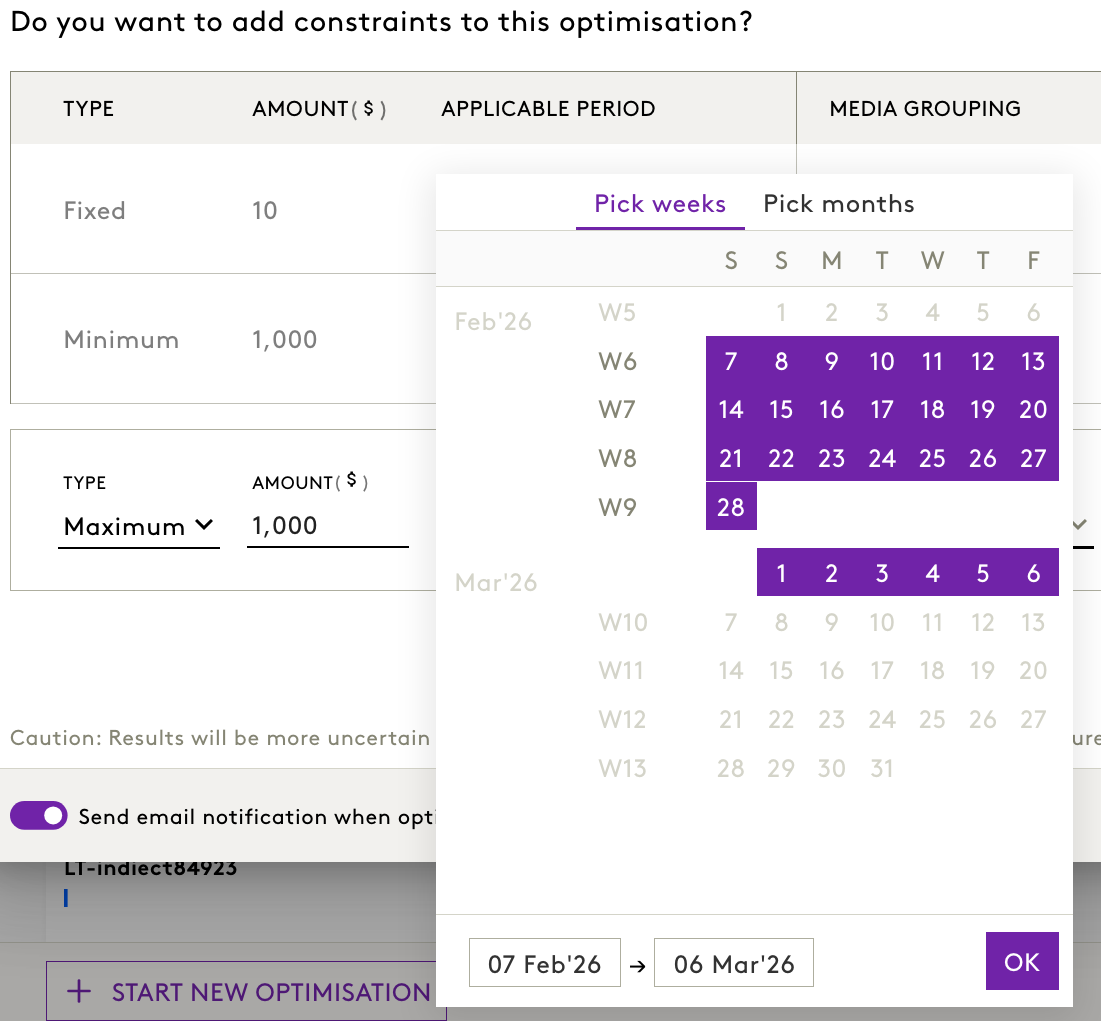
- Click Add constraint button
- Choose the start and end date for the constraint
- Download the template
- From the new template, you can edit all the columns that are in green

For more details on optimisationconstraint templates, click here.
Impact
Streamlines constraint management and reduces time spent adjusting constraints inside the UI.
6. More Accurate Data Display for Long‑Term Models (BI)
Business Insights now hides post‑model period data whenever long‑term data exists.
Impact
- Non‑media variables no longer appear incorrectly after the model window.
- Only media variables continue showing decay outside the period.
- Stability and interpretability of long‑term model outputs significantly improves.
7. Consistent Dimensions Order Across Modules
Dimension hierarchy in Simulator Input Screen and Optimisation → Add Constraints Screen now fully mirrors the Admin Panel configuration.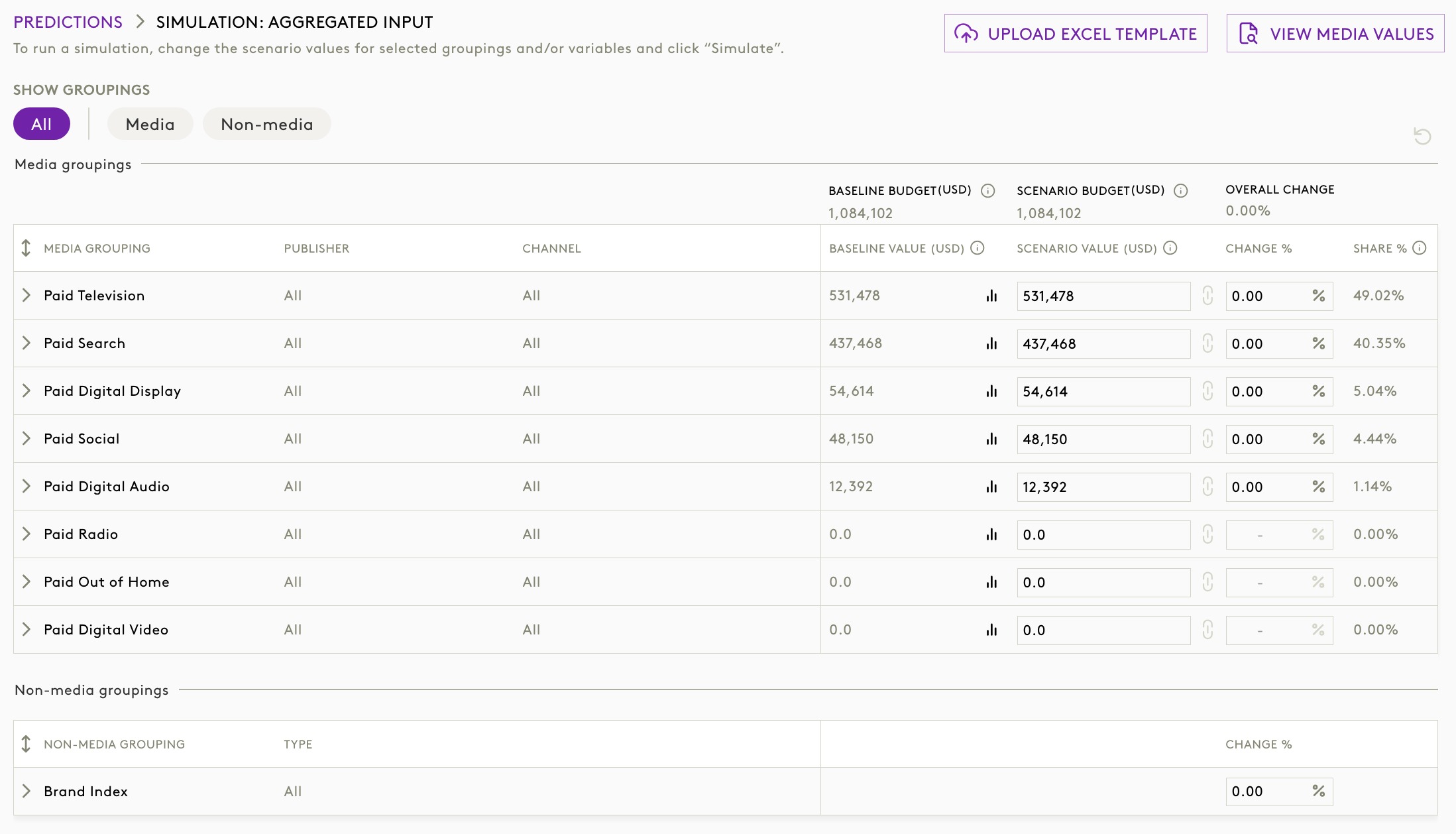
Impact
- Eliminates mismatches across modules.
- Ensures admin‑defined hierarchy is always reflected consistently.
- Reduces confusion for frequent users.
Was this article helpful?
That’s Great!
Thank you for your feedback
Sorry! We couldn't be helpful
Thank you for your feedback
Feedback sent
We appreciate your effort and will try to fix the article