Let us assume a scenario:
I set minimum spend constraints for Microsoft Ads and Google Ads in the Insights Platform, but sometimes the Optimiser ignores these constraints and allocates zero spend for some periods. Why does this happen?
This is a feature of the optimisation framework, not a bug. Here’s the technical detail:
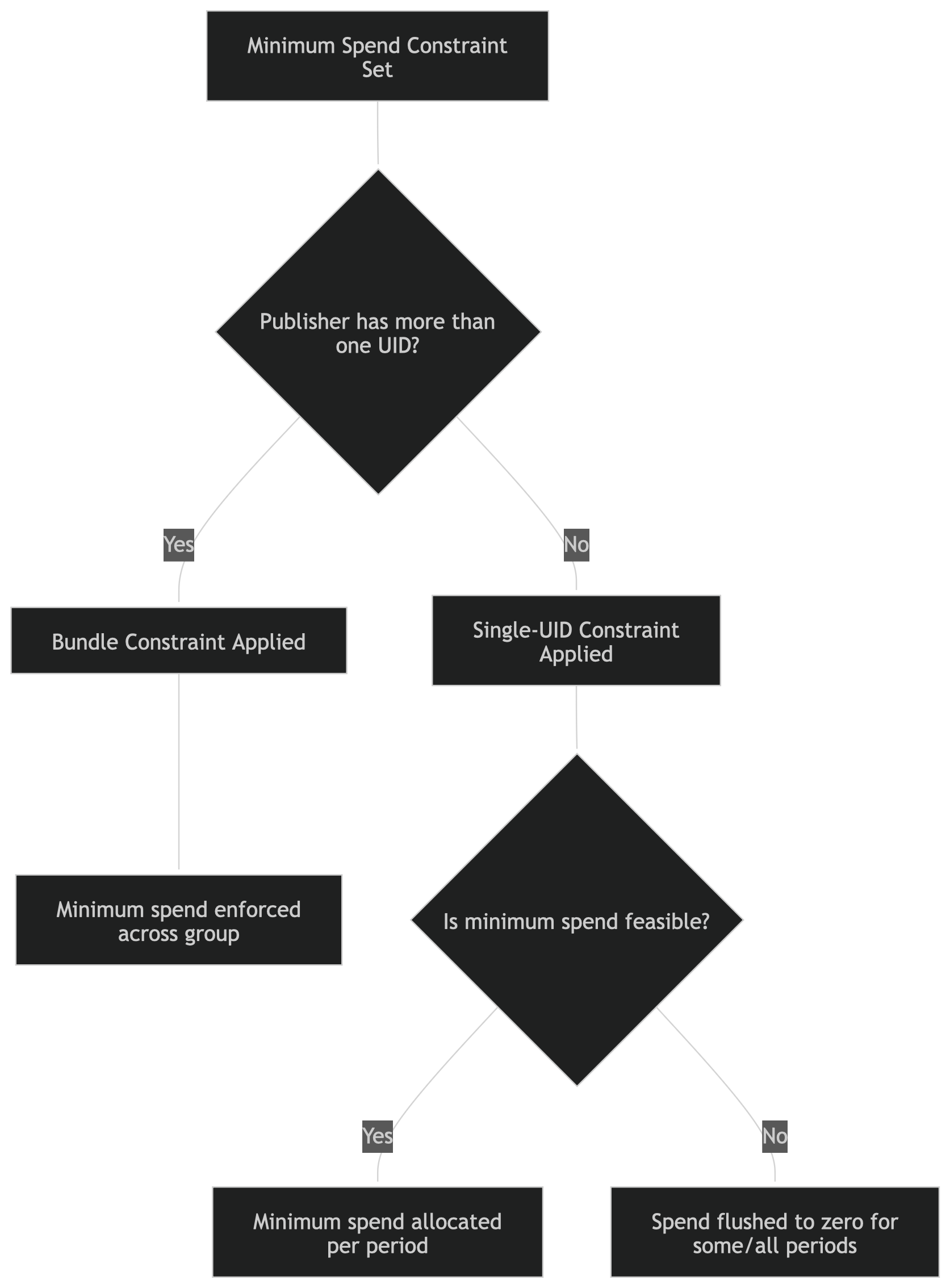
- Single-UID Publisher:
If a publisher (e.g., Google Ads Search) has only one UID, a minimum spend constraint is treated as a “per period” rule. The optimiser will attempt to allocate at least the minimum spend for each time period. - Feasibility Check:
If the optimiser cannot satisfy the minimum (due to conflicting constraints, budget limits, or infeasibility), it will set the spend to zero for that UID in some or all periods. This prevents the optimiser from producing an infeasible or invalid plan. - Bundle Constraint (Multiple UIDs):
If a publisher has multiple UIDs, the minimum spend constraint is treated as a bundle constraint. The optimiser will enforce the minimum spend across the group, making it more likely to be met.
Why?
This behaviour ensures the optimiser always produces a feasible solution. For single-UID publishers, enforcing a strict minimum could make the entire plan infeasible, so the optimiser is allowed to “flush” the spend to zero if necessary.
Best Practice
If you need the constraint to be strictly met and do not want spends to be flushed to zero:
It is recommended to add a minimum spend constraint on Google Ads (or similar publishers) over the entire time period through the Insights platform, rather than using an inventory constraint. This approach increases the likelihood that the minimum spend will be enforced across the whole optimisation period.
Was this article helpful?
That’s Great!
Thank you for your feedback
Sorry! We couldn't be helpful
Thank you for your feedback
Feedback sent
We appreciate your effort and will try to fix the article