1. Open the Model Configuration
Navigate to the Admin Panel → Models section and select the model you want to edit.
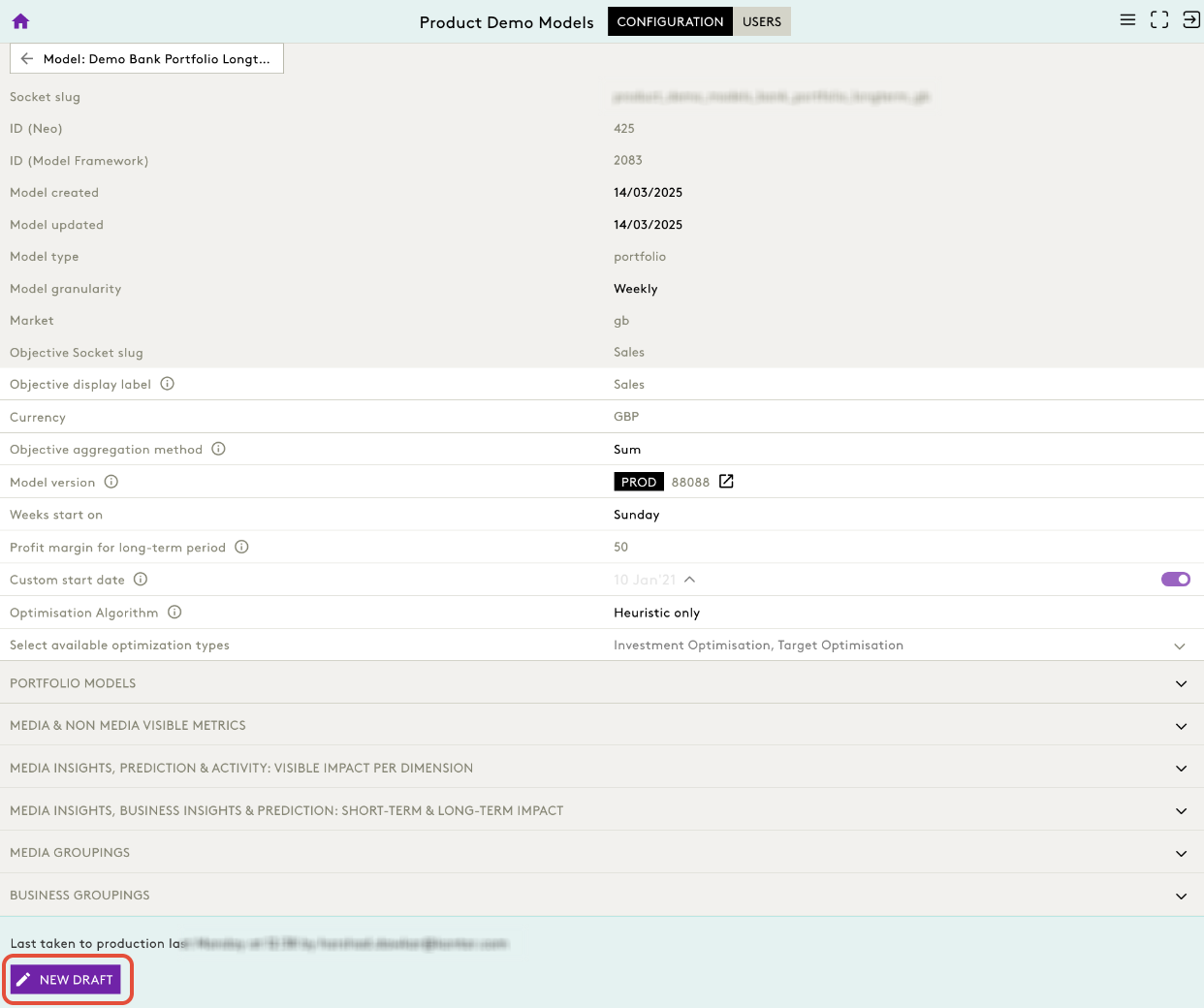
2. Enter Draft Mode
You must be in a Draft to make any changes.
- Click New Draft.
- The model opens in editable mode.
3. Locate Optimisation Settings
Scroll down to the Configuration section of the model.
Navigate to Select Available Optimization Types
Displayed as:
Select available optimization types
Click on arrow to find: Investment Optimisation, Target Optimisation
These represent the toggles you can activate/deactivate.
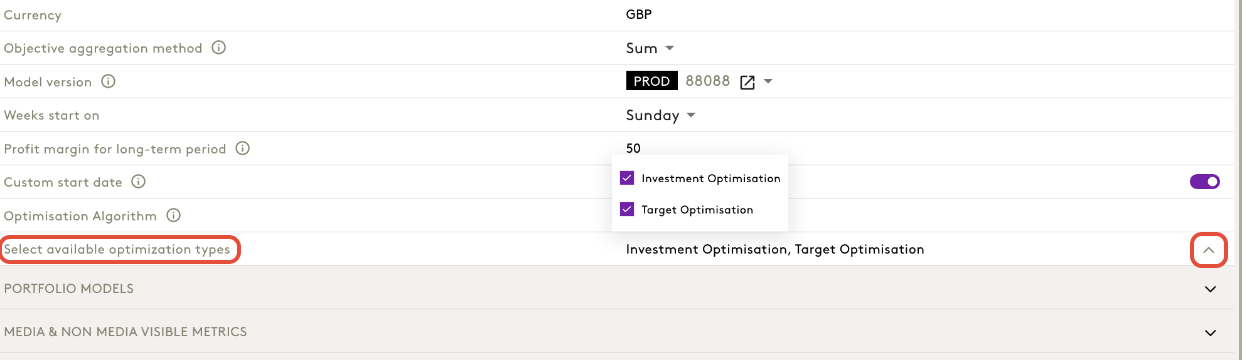
4. Toggle Optimisation Types
You can enable/disable the optimisation types by selecting or deselecting:
- Investment Optimisation
- Target Optimisation
These define which optimisation modes the front‑end makes available to users.
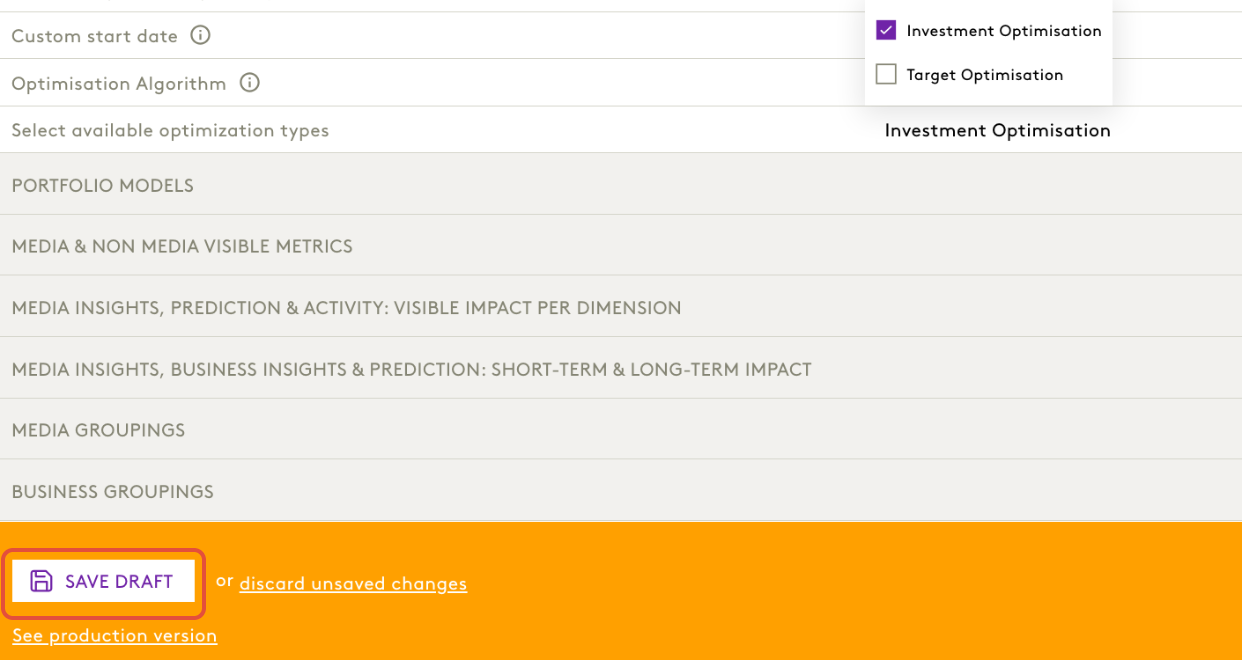
5. Save & Publish Changes
After updating the optimisation settings:
- Click Save Draft
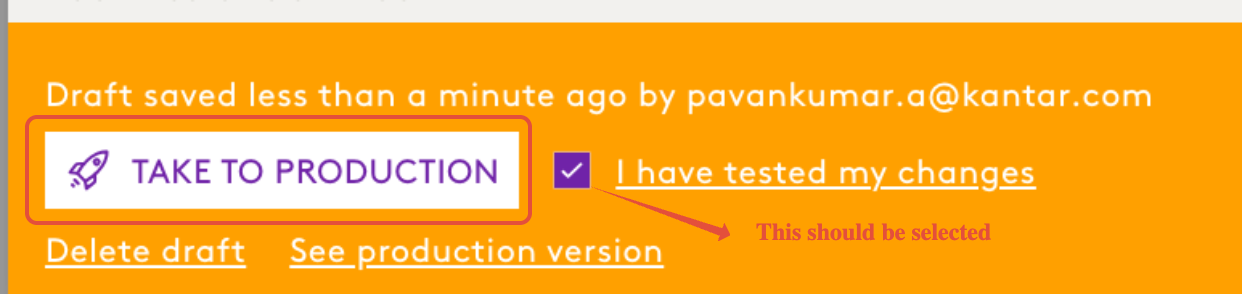
- Once validated, click Take to Production
Was this article helpful?
That’s Great!
Thank you for your feedback
Sorry! We couldn't be helpful
Thank you for your feedback
Feedback sent
We appreciate your effort and will try to fix the article